Barbershop POS: your phone is the card reader.
Check out cuts, walk-ins and products from the same app as your calendar. Take a tap, a saved card, a typed card or cash, and every sale lands in your history.
Included in the one $35/mo plan, every barber. See pricing →
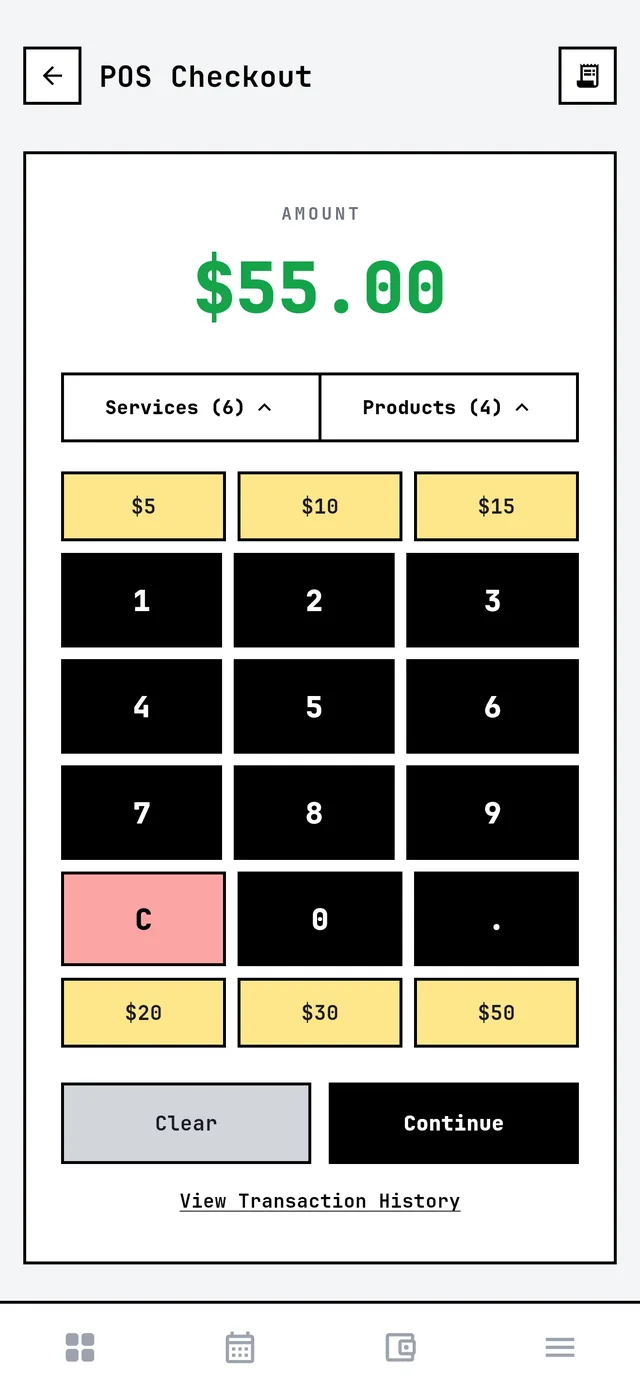
One checkout for everything you sell.
Built for how a barbershop actually gets paid, not a retail register that doesn't know what a fade is.
Walk-ins and services
Pick a service or type any amount. No appointment and no client required.
Retail products
Pomade, beard oil, whatever you stock, in the same checkout as the cut.
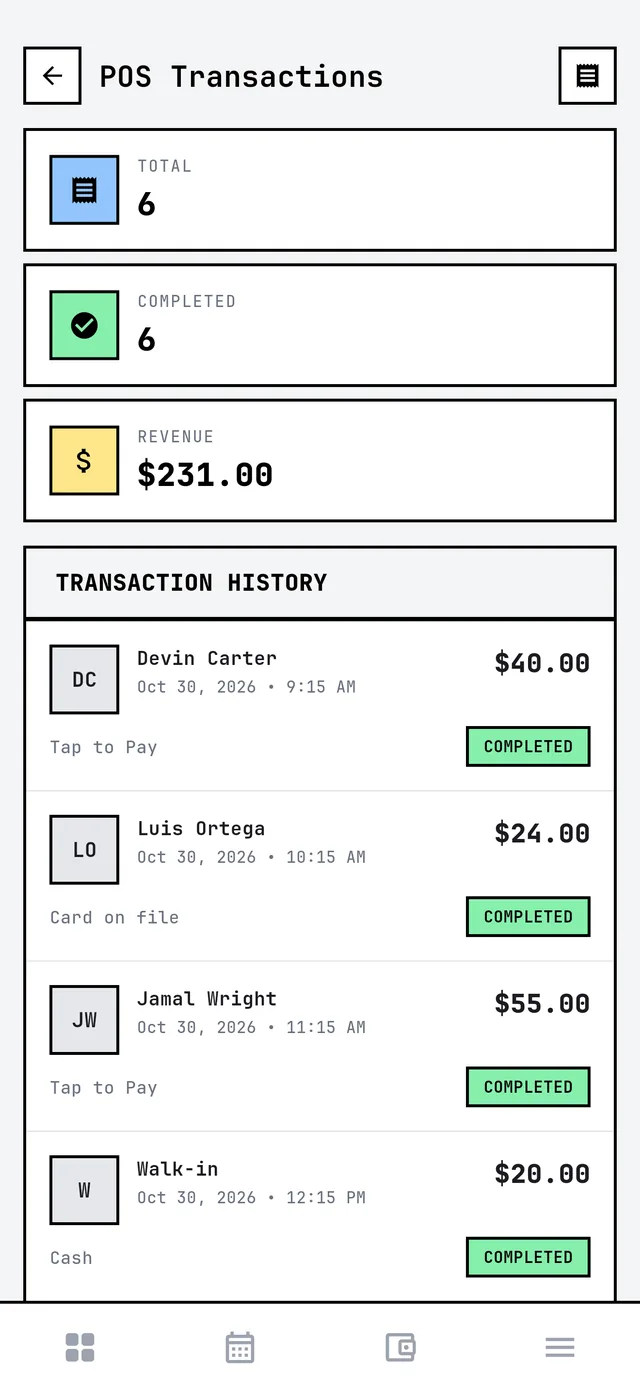
Every sale on record
A full transaction history with the client, the time, how they paid and the total.
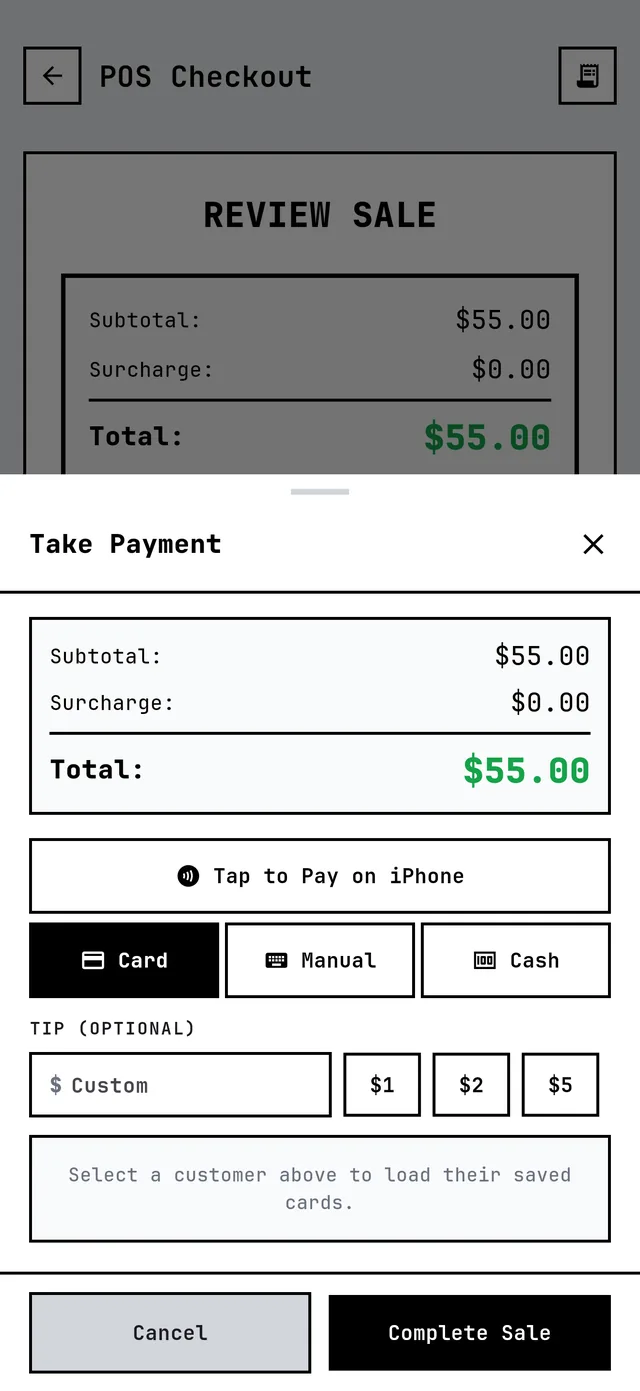
Tap, card or cash. Tip on the same screen.
One screen for every way a client pays. No reader to pair, no second app to open, and no client needed if it's a walk-in paying cash.
A barber POS system, built in.
Tap to Pay
Your phone is the card reader. No hardware to buy, charge or lose.
Card on file
Charge a client's saved card without them reaching for their wallet.
Manual card entry
Type the card in when it won't tap.
Cash
Ring up cash sales so your numbers stay right at the end of the day.
Tips
Quick tip amounts or a custom one, right on the payment screen.
Refunds
Refund a sale from its history, in full or in part.
Stop eating payment fees.
Getting paid costs your shop money, from card processing to instant payouts. Custom surcharge recovery lets your clients help cover it instead of it all coming out of your cut, up to what your state allows.
It goes on card sales for you and shows as its own line at checkout. On a cash sale, you can apply it or waive it right there.
Custom surcharge recovery
- You choose: how much to recover
- Your limit: what your state allows
- At checkout: its own line for the client
Surcharge rules differ by state and card network, and your shop is responsible for following them. This isn't legal advice.
Every sale, accounted for.
Totals up top, every transaction underneath: who paid, when, how and how much. Open any sale to see the details or refund it.
How it works
Ring it up
Pick a service or product, or type the amount on the keypad.
Review the sale
Add a client if you want the history, or skip it for a walk-in.
Take payment
Tap, card on file, manual card or cash, with the tip on the same screen.
Barbershop POS: Barbercita vs Booksy, SQUIRE, theCut and Vagaro
Tap to Pay is table stakes now. The difference is what you pay for the whole shop to use it.
| App | Tap to Pay on your phone | Software, 5 barbers |
|---|---|---|
| Barbercita | Yes, no reader needed | $35/mo, POS included |
| Booksy | Yes | $109.99/mo ($29.99 + $20 per extra person) |
| SQUIRE | Yes | $50–$250/mo per shop |
| theCut | Yes, eligible devices, PRO users* | $125/mo if every barber goes PRO ($25 each) |
| Vagaro | Yes, 6¢ extra per tap | $70/mo ($30 + $10 per extra calendar) |
Card processing fees are separate on every app, so ask each one for its rate. * theCut's pricing page notes Tap to Pay and its card reader as eligible devices only, Pro users.
Checked October 30, 2026 on each company's own pages: Booksy Tap to Pay, SQUIRE pricing, theCut pricing, Vagaro card processing, Vagaro pricing. Prices change, and their page is the final word.
Barbershop POS questions
What is the best POS for a barbershop?
Do I need a card reader?
How do I take payment for a walk-in?
Can I sell products in the POS?
What payment methods does it take?
Can I refund a sale?
Does the POS cost extra?
Can a barbershop charge clients a card fee?
Can I pass card fees to my clients in Barbercita?
Keep reading
No-show protection
Fees that actually get collected.
Wallets
Where the money goes after the sale.
Memberships
Regulars who pay before they sit down.
Best barber booking apps
What each one really costs, compared.
Tap to Pay
How taking a tap on your phone works.
Barbercita vs them
Side by side with the big booking apps.
Every feature. One plan.
The POS comes with Barbercita for $35/mo, every barber, no add-ons.