Client texts, off your cell.
Clients message you from your shop's own app. You answer from yours, book them from the same screen, and your personal number stays yours.
Included in the one $35/mo plan, every barber. See pricing →
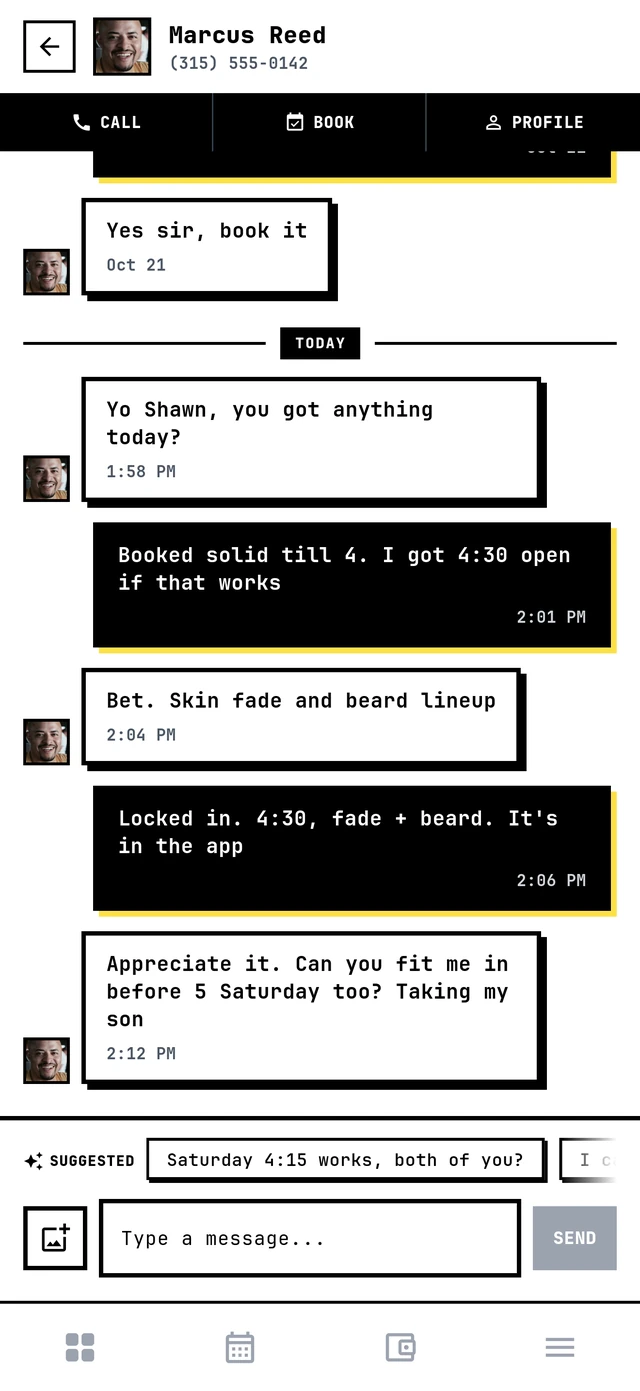
"You got anything today?" is a booking.
If it sits in your Instagram DMs for three hours, it's somebody else's booking. Put every client conversation in one place, next to your calendar.
Five inboxes
Texts, DMs, voicemails, comments. Somebody's "you open Saturday?" is buried in one of them.
Your number, everywhere
Every client with your cell can text you at midnight. And they do.
One place for the cut
The chat, the photo of the fade they want, and the BOOK button, together.
Every client, one inbox.
Newest first, with their photo, the last thing said and how many you haven't read. Tap Unread to see only who's waiting on you, search by name, or tap + to message any client of your shop first.
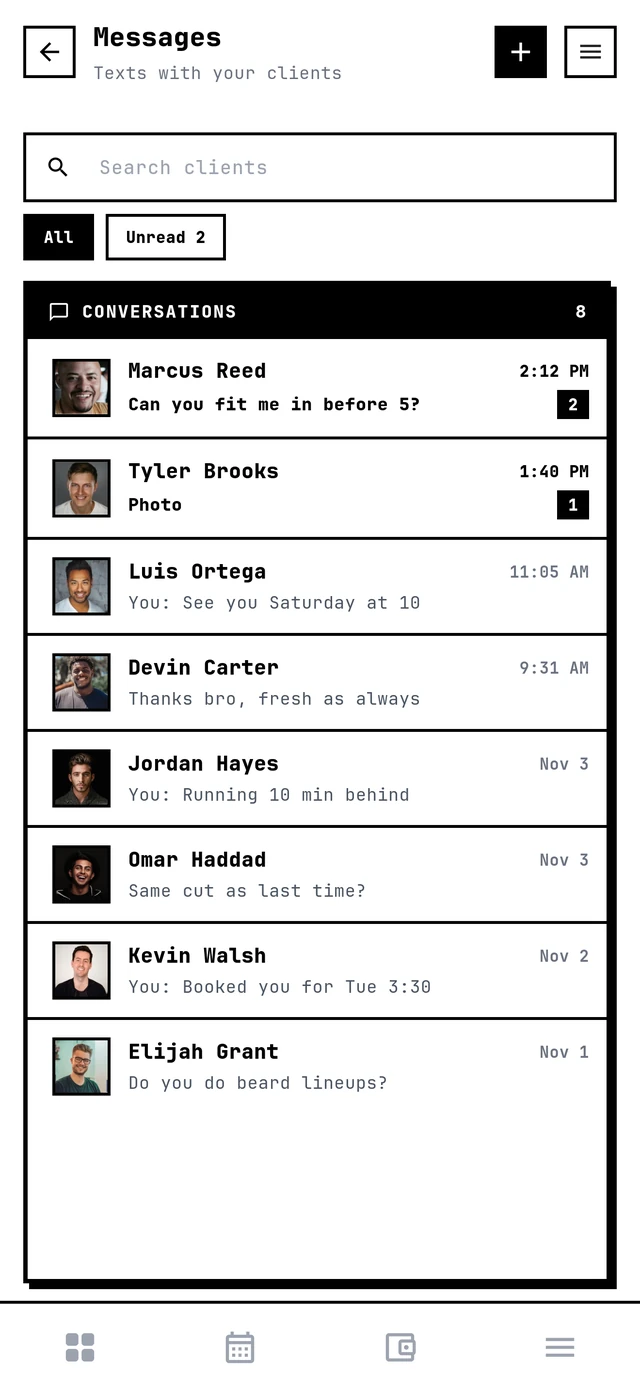
Answer in one tap, book in two.
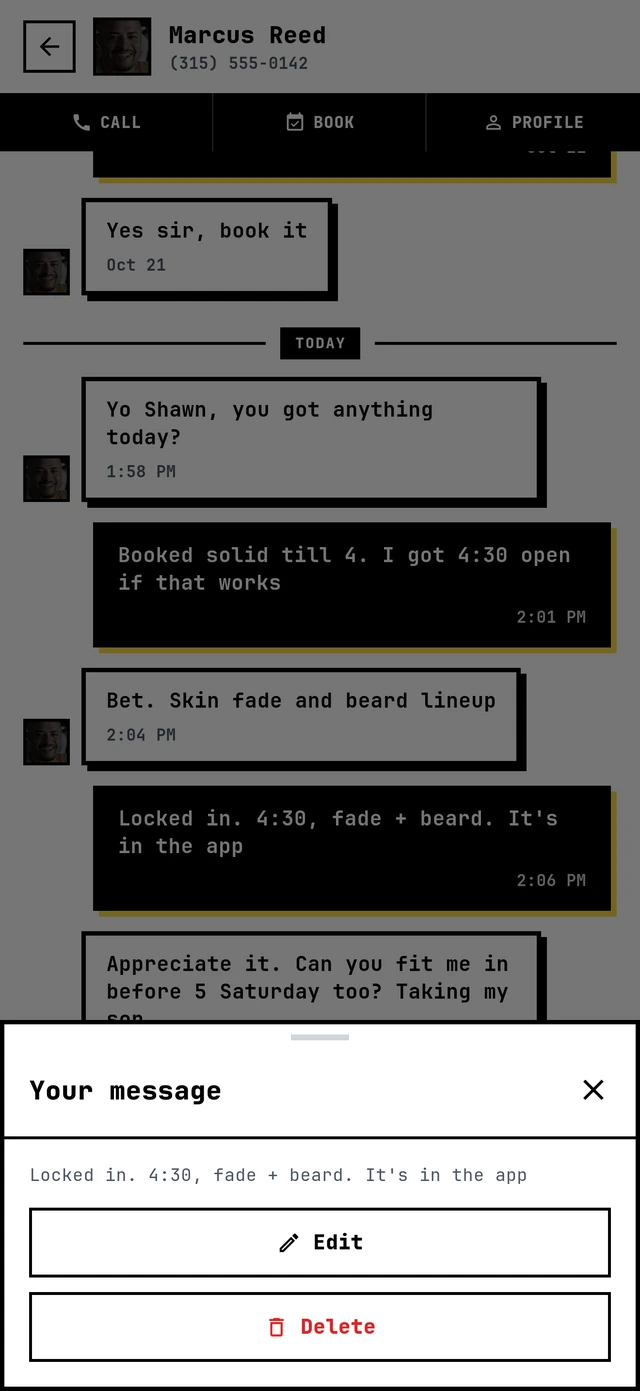
CALL, BOOK and PROFILE sit on top of every chat (first phone up top). Under the messages, three suggested replies written from the conversation: tap one and it's sent, or start typing and they follow along. Photos go both ways. Typo? Hold your message to edit it or delete it.
Texting blasts aren't a conversation.
Most booking apps sell you marketing texts: you talk, they listen. theCut lets clients message from an appointment. Ours is a real inbox, in your own app, with photos and replies written for you. Here's what each company's own page says.
| App | Messaging with clients | Photos | Suggested replies |
|---|---|---|---|
| Barbercita | Any client, any time, from your shop's own app | Yes, both ways | Yes, three at a time |
| theCut | From an appointment: a Message button on the appointment | Not listed | Not listed |
| Booksy | Their app page lists "free text and email marketing" | Not listed | Not listed |
| SQUIRE | Their app page lists "marketing texts and emails" | Not listed | Not listed |
From each company's own page; "Not listed" means their page doesn't say, not that it can't. What each one costs is on our price guide; ours is $35/mo for the whole shop.
Checked November 4, 2026: theCut help, Booksy Biz (App Store), SQUIRE Commander (App Store).
Barbershop client messaging, built in.
Push on every message
You hear about it right away. So do they when you answer.
Photos both ways
The cut they want, the cut you just did.
Suggested replies
Three quick answers from the conversation. Tap to send.
Search and Unread
Find a client by name, or see only who's waiting on you.
Message first
Start a conversation with any client of your shop.
Edit or delete
Press and hold your message. Edits are marked EDITED.
Book from the chat
BOOK opens your calendar with the client already picked.
Call from the chat
With Business Line it rings from the shop's number.
No personal number
Clients reach you through your shop's app, not your cell.
How it works
Clients open your app
They message you from your shop's own app, the one with your name on it.
You get a push
Their name and message hit your phone. Tap it and you're in the chat.
Answer, book, done
Reply, tap a suggestion, send a photo, or hit BOOK and put them on the calendar.
Messaging questions
Can my clients text me without having my number?
How do I know when a client messages me?
Does the client get told when I answer?
Can clients send photos of the cut they want?
What are the suggested replies?
Can I message a client first?
Can I fix a message I already sent?
Can I call or book from the chat?
Does messaging cost extra?
Keep reading
Your own app
Where your clients message you from.
Push notifications
Free messages to your clients' phones.
Business Line
A shop number for calls and texts.
Wait list
Turn a cancel into a booking.
Best barber booking apps
What each one really costs, compared.
Barbercita vs them
Side by side with the big booking apps.
Every feature. One plan.
Client messaging comes with Barbercita for $35/mo, every barber, no add-ons.